

SpeedBox 1.3 for Shimano (EP8) - Package: BOX, Qty: 1 pcs, Variant: +E-Tube port
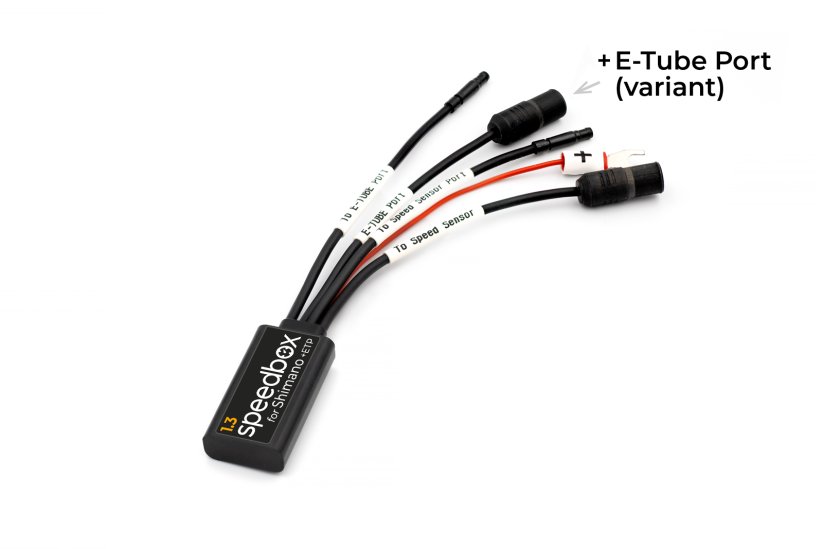


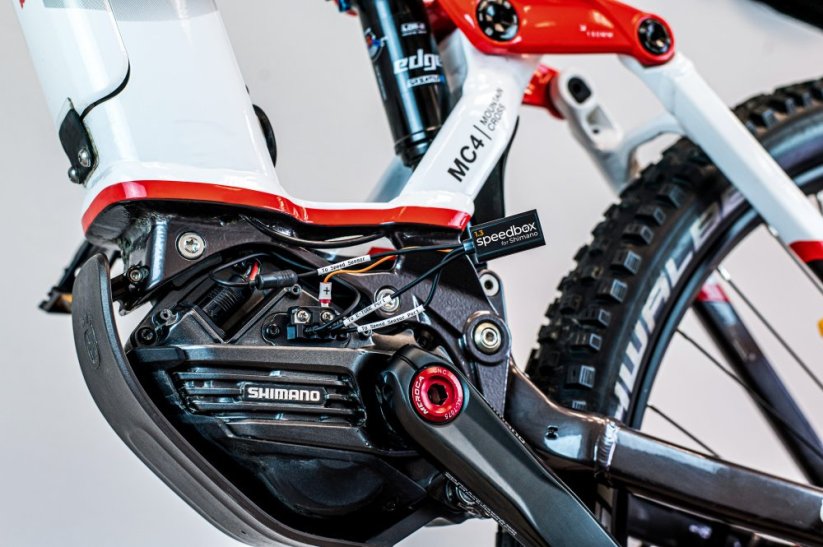
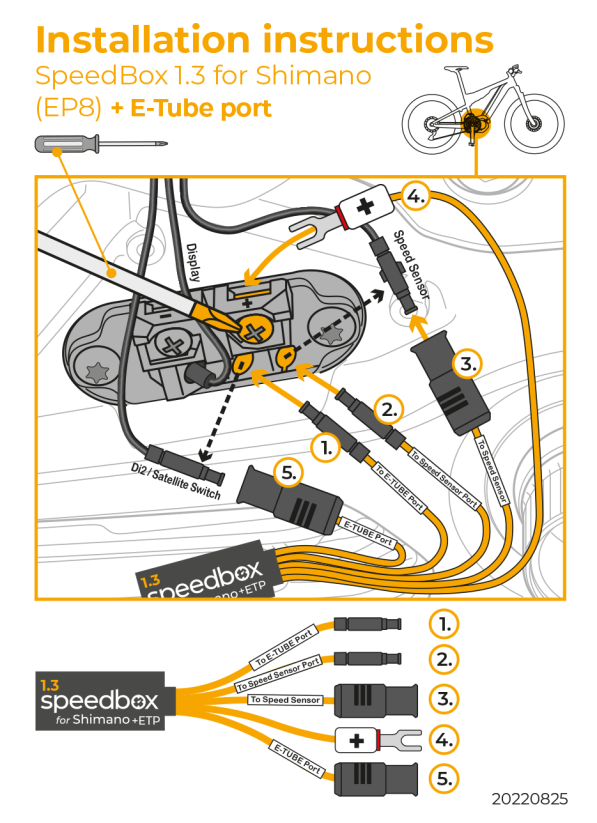


The "+ E-Tube port" variant is intended for e-bikes without a free E-Tube port - usually e-bikes with one of these components:
Satellite System ON/OFF Switch
Di2 (electronic gear shifting system)
PROPERTIES:
Activation/deactivation: by turning off/ on the lights
Maximum speed: unlimited
Display shows: real values up to 23 km/h
Compatible with:
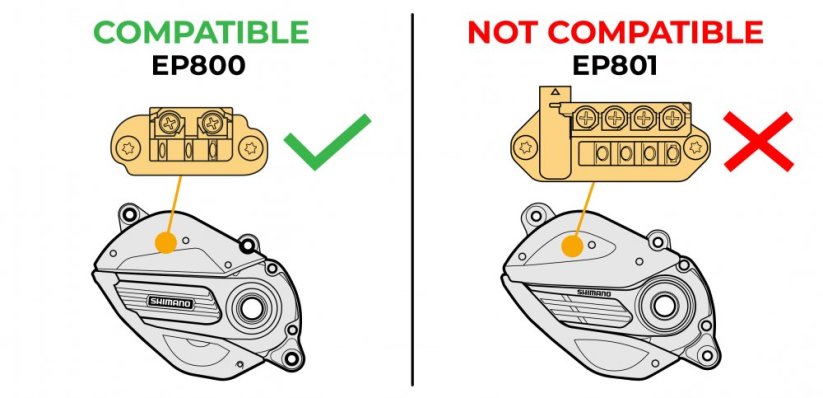
motors EP8
motors EP8 RS
Giant Revolt (up to 35 km/h)
Not compatible with:
Shimano EP801
Shimano EP6
SpeedBox Connect
More
Product code: SB13_S+ETP_1pcs_BOX Shipping and Payment
Key features
SpeedBox 1.3 is a from the ground up redesigned tuning chip for e-bikes with Shimano EP8 and EP8 RS motors — with a new design and completely new hardware and firmware. It removes the 25 km/h speed limit, and during the ride the display shows real values up to 23 km/h.

Tuning control
Activated and deactivated by turning the lights off and on with the LIGHT button

Real values up to 23 km/h
During the ride the e-bike display shows real values up to a speed of 23 km/h
Easy installation
Thanks to clear instructions including a video, anyone can handle the installation
Standard or +E-Tube Port variant?
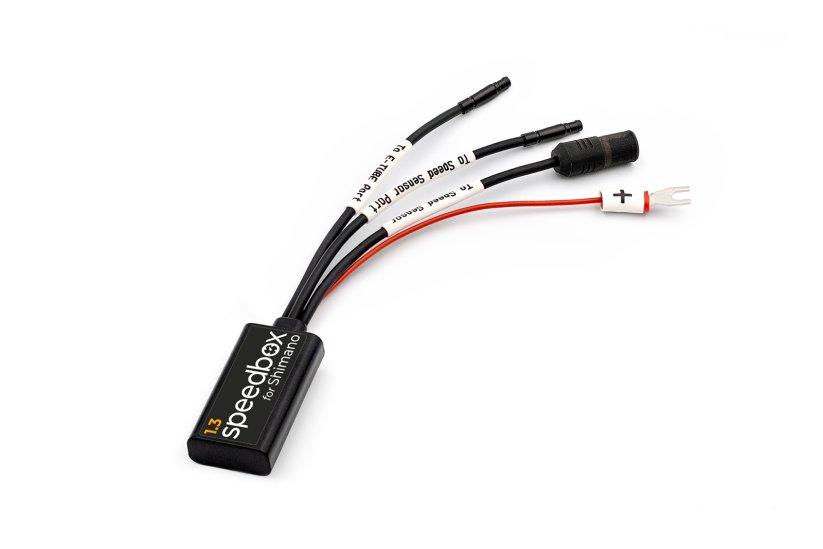
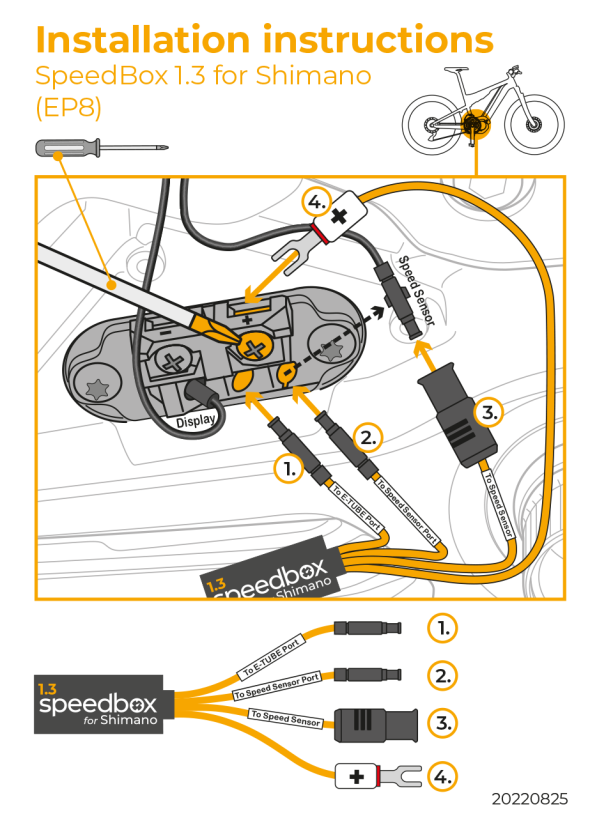
This product plugs into the motor's E-Tube port, so the e-bike motor needs one free E-Tube port. If your motor has a free port, choose the standard variant.
If you don't have a free E-Tube port, choose the +E-Tube Port variant. These are usually e-bikes with a Di2 electronic gear shifting system or with a tube integrated Satellite System ON/OFF Switch (EW-SW100, EW-SW300).
Compatibility
Shimano motors: EP8, EP8 RS
Also compatible with: Giant Revolt (up to 35 km/h)
Not compatible with Shimano motors: EP801, EP6
Technical specifications
| Maximum speed | Unlimited |
|---|---|
| Display shows | Real values up to 23 km/h |
| Activation / deactivation | By turning the lights off and on (LIGHT button) |
| Minimum mileage before installation | 10 km (new bike) |
Installation
Installing the device is easy and intuitive. Choose the option that suits you best – a video guide, a printed manual, or a detailed step-by-step picture guide.
Video guide
You can find a detailed installation and tuning activation procedure on our YouTube channel
Printed manual
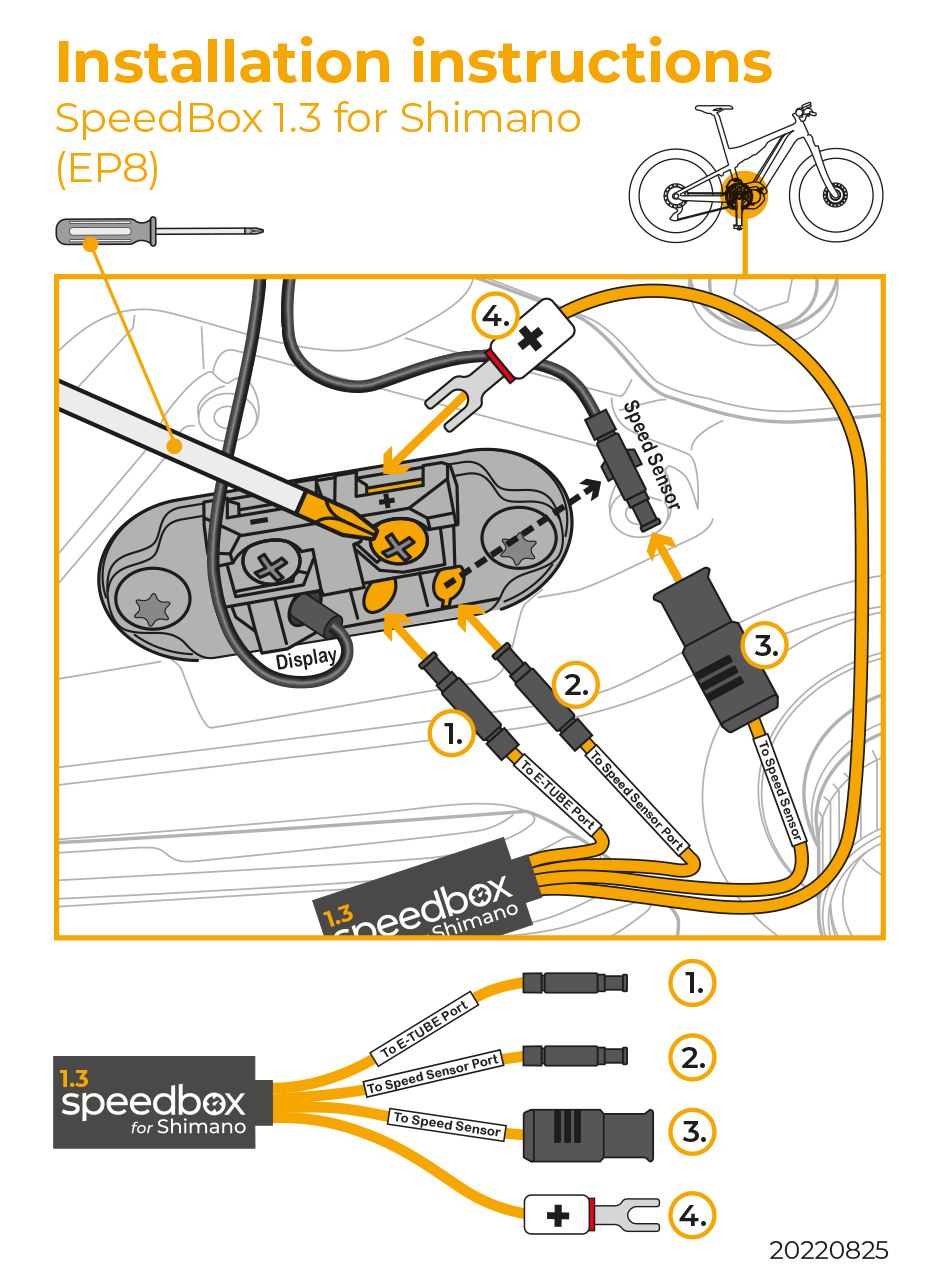
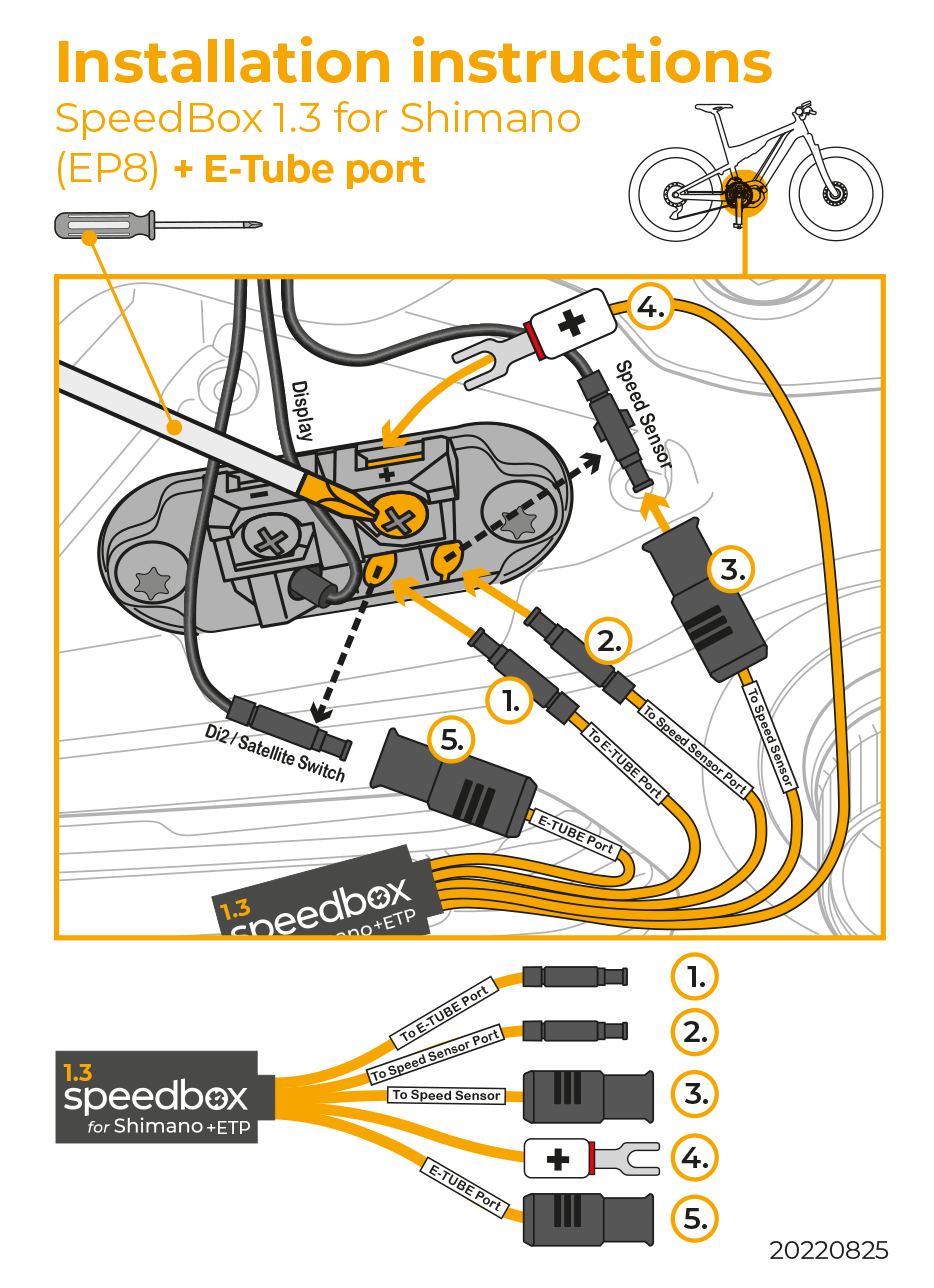
Inside the product package you will find a printed manual including a wiring diagram for connecting the chip to the motor. Choose the standard or the +E-Tube Port diagram depending on whether your e-bike has a free E-Tube port.
Step by step
The illustrated guide will walk you through the installation step by step — from removing the motor cover to the test ride. Choose the manual that matches your wiring variant.
Tuning control
The tuning chip is controlled with the LIGHT button. When the lights are turned off, SpeedBox is activated.
If you want the tuning to be active at all times, regardless of the lights status, connect the fork terminal from SpeedBox to the screw terminal marked "-". If your e-bike has no lights function, SpeedBox will be activated at all times.
During the ride the display shows real values up to a speed of 23 km/h. If you want to see the correct speed and all riding data throughout the ride, we recommend the B.Tuning version, which shows real values in the SpeedBox Connect app right on your phone's display.

Warning
- Rules for using derestricted e-bikes vary by country, so check local legislation before riding.
- SpeedBox is intended for off-road use only and you use it at your own risk.
- The manufacturer is not liable for damage caused by illegal or improper use.
- Installation may also void your e-bike warranty.
- For your safety, use appropriate protective gear and ride with maximum caution.



| Bluetooth/ SpeedBox Connect | NO |
|---|---|
| Jeżeli w silniku masz zajęte wszystkie porty E-Tube wybierz opcję "+E-Tube port | OK |
Tamas Vass
PositivesEverything was fine, and works well.
Negatives
Lukáš Gladič
PositivesFunguje správne:) jednoduchá montáž
Negatives
emmanuel LECHIEN
PositivesMontage / branchement rapide (attention, selon la marque du vélo il est obligatoire de faire tomber le moteur...)
Negatives
Related products3

SpeedBox Tracker 1.1 for Shimano


SpeedBox Ebike Cleaner