
SpeedBox B.Cyclo - Package: BAG, Qty: 1 pcs




PROPERTIES:
Bluetooth cycling computer
wireless
one rechargeable battery
compatible with SpeedBox Connect
“save your trip” function
distance and time statistics
non-volatile memory
More
Product code: SBBC_1pcs_BAG Shipping and Payment
Key features
SpeedBox B.Cyclo is a unique yet unobtrusive Bluetooth cycling computer that records your ride without you even noticing it. Thanks to its non-volatile memory, you will never lose your data such as total distance, time, average and maximum speed — even if the battery runs out.
Connect to B.Cyclo via the SpeedBox Connect app on your iOS or Android smartphone and see your riding data (actual speed, travelled distance, riding time, average and maximum speed) on a large, easy-to-read display. You can also save your trips and check your daily, weekly, monthly and annual statistics of travelled time and distance.

Long battery life
Approximately 80 hours of riding on a single charge with a constant Bluetooth connection to SpeedBox Connect
Data always saved
Non-volatile memory keeps your distance, time, average and maximum speed even without a paired phone or with a flat battery
Statistics in SpeedBox Connect
Save your trips and check daily, weekly, monthly and annual statistics on your iOS or Android smartphone
Technical specifications
| Connection | Bluetooth, SpeedBox Connect app (iOS / Android) |
|---|---|
| Recorded data | Actual speed, distance, riding time, average and maximum speed |
| Memory | Non-volatile |
| Battery life | Approx. 80 hours of riding |
| Charging | USB power adapter (5 V/0.5 A or more), cable included |
How to use B.Cyclo
Getting started takes just a moment. Watch the video guide or download the manual.
First activation
Once unpacked, SpeedBox B.Cyclo is in deep sleep mode. Wake it up by connecting it to a power adapter with USB output using the included cable.
Connecting to B.Cyclo
Before each pairing with your phone, activate B.Cyclo by turning the wheel 360°. Then select the device from the list in the SpeedBox Connect app.
Power saving mode
If the wheels are turning and B.Cyclo is not paired with your phone, Bluetooth turns off after 10 seconds to save energy. Total distance, time, average and maximum speed are still recorded. To pair B.Cyclo with your phone, stop the bike for approximately 10 seconds.
Charging the battery
Even with a flat battery you won't lose your trip data, but recharge it in time to keep recording. B.Cyclo is charged with a standard USB power adapter (5 V/0.5 A or more) and the included cable. To avoid removing B.Cyclo each time, use a power bank or place the bike near a mains socket. Adapter and power bank are not included.
Video guide
See how to set up and use B.Cyclo on our YouTube channel
Download manual
All information about activation, pairing and charging in one PDF



Related products3
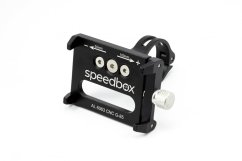
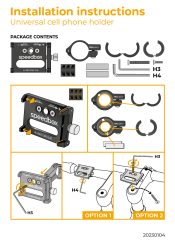
Universal Cell Phone Holder

SpeedBox ChainCare Pro